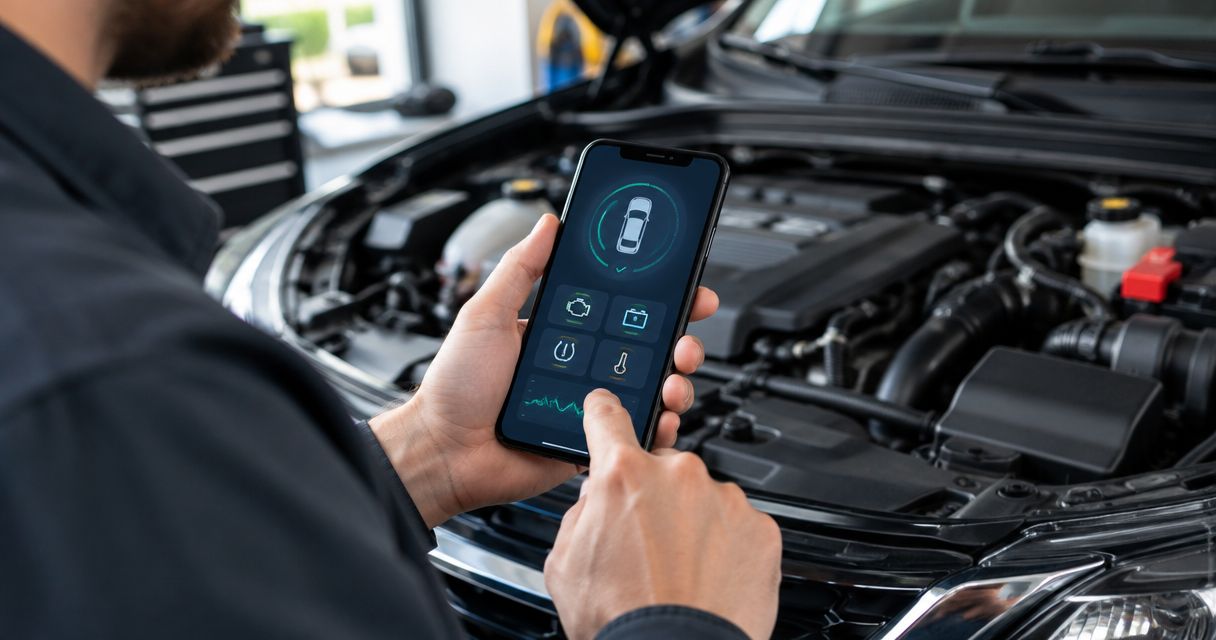
Best overall: Car Scanner ELM OBD2. Best for Android dashboards: Torque Pro. Best for a matched app-and-adapter setup: BlueDriver. This 2026 guide to the best car diagnostic apps explains which smartphone tools fit your vehicle, what they reveal, and when you need a technician instead.
- Car Scanner ELM OBD2 is the default choice among the best car diagnostic apps for general OBD2 checks.
- Torque Pro suits Android drivers who want custom live-data dashboards.
- BlueDriver pairs its diagnostic app with its own adapter; check vehicle-specific coverage before choosing.
- Eliteautorepairit provides car diagnostics in Kissimmee when fault codes need testing, not just reading.
Why this matters
A diagnostic app helps you read the information your car makes available through its diagnostic connector. It does not prove which part failed. That distinction matters: a fault code identifies a detected condition, not an automatic replacement order.
For drivers in Kissimmee, Eliteautorepairit provides car diagnostics and repair services. Use an app to collect evidence; use diagnostic testing to decide what to repair. That approach keeps a useful phone tool from becoming an expensive guessing game.
Most apps in this guide need a compatible adapter plugged into the vehicle's OBD2 connector, which has 16 pins. Your phone communicates with the adapter, and the adapter communicates with supported vehicle systems. The phone alone cannot perform that job.
What makes the best car diagnostic apps?
The best app is the one that supports your vehicle, phone, adapter, and actual task. Check these criteria before choosing a diagnostic app in 2026:
- Vehicle coverage: Generic engine fault codes are different from access to brakes, airbags, transmission modules, or manufacturer-specific information.
- Phone compatibility: Confirm Android or iPhone support. Do not assume an adapter that connects to Android will connect to iOS.
- Adapter compatibility: Match the app to the supported adapter and connection method. A Bluetooth label alone is not enough.
- Evidence capture: Look for saved codes, freeze-frame information, and data recording so you can preserve findings before clearing anything.
- Readable live data: Choose displays you can understand. More gauges do not make an incorrect interpretation useful.
- Task boundaries: Reading faults, running service procedures, and changing vehicle settings are separate jobs. Choose only the access you need.
Best car diagnostic apps at a glance
These recommendations separate general scanning, custom dashboards, data logging, a matched hardware setup, and Ford-focused diagnostics. The order below matches the detailed reviews.
| App | Best for | Standout feature | Key limitation |
|---|---|---|---|
| Car Scanner ELM OBD2 | General smartphone OBD2 checks | Fault information and configurable live-data displays | Coverage depends on the vehicle profile and adapter |
| Torque Pro | Custom Android dashboards | Configurable gauges and data logging | Android-focused; generic access is not full-system diagnosis |
| OBD Fusion | Recording data for troubleshooting | Live-data dashboards and logging | Enhanced access depends on supported vehicles and configurations |
| BlueDriver | A matched app-and-adapter setup | Software designed around its own diagnostic adapter | Requires BlueDriver hardware; enhanced coverage varies by vehicle |
| FORScan Lite | Supported Ford-family vehicles | Access to supported manufacturer-specific diagnostic information | Not a universal app or the same tool as desktop FORScan |
1. Car Scanner ELM OBD2: best for general smartphone checks
Car Scanner ELM OBD2 reads supported diagnostic information through a compatible ELM327-type adapter. It offers fault-code reading, live sensor displays, and vehicle connection profiles. Android and iOS versions make it a practical starting point when you want an app rather than a dedicated handheld scanner.
The main reason to choose Car Scanner is flexibility. You can start with basic engine information and configure displays around the readings you actually need. However, an app's available profiles do not guarantee that every vehicle exposes every sensor or module.
Car Scanner ELM OBD2 pros:
- Supports both major smartphone platforms.
- Combines fault information with configurable live-data displays.
- Provides connection profiles for different vehicle applications.
Car Scanner ELM OBD2 cons:
- Adapter quality and compatibility affect the connection.
- Manufacturer-specific access is not uniform across vehicles.
Best for: Drivers who want a general-purpose phone tool for engine codes and basic live data.
Before using Car Scanner in 2026, confirm your exact vehicle profile and adapter requirements. Start by saving fault information rather than experimenting with settings or clearing codes.
Verdict: Buy a compatible adapter for Car Scanner ELM OBD2 if general OBD2 checks are your main task.
2. Torque Pro: best for custom Android dashboards
Torque Pro is an Android diagnostic app that connects through compatible OBD adapters. It displays supported sensor readings, reads engine fault information, and records data. Its configurable dashboards suit drivers who want particular readings visible together.
That flexibility is useful when you already know what you are checking. Engine speed, coolant temperature, and fuel-trim readings serve different purposes; placing them together does not explain their relationship automatically. Build a dashboard around a diagnostic question rather than filling the screen with gauges.
Torque Pro pros:
- Offers configurable gauges and dashboard layouts.
- Supports logging for reviewing changes over time.
- Suits Android users who want control over displayed information.
Torque Pro cons:
- It is not an iPhone recommendation.
- Additional displayed data still requires vehicle support and correct interpretation.
Best for: Android users who want custom live-data dashboards rather than a guided diagnostic workflow.
Torque Pro is a dashboard choice, not a substitute for testing wiring, mechanical condition, or component operation. If you only want to read an occasional engine code, its customization is less important than a reliable connection.
Verdict: Buy a compatible adapter for Torque Pro when Android dashboard customization is your priority.
3. OBD Fusion: best for recording troubleshooting data
OBD Fusion provides diagnostic reading, dashboards, and data logging on supported smartphone platforms. It works with compatible adapters and offers enhanced diagnostic access for supported vehicle applications. Its recording tools suit drivers who need to review readings after a symptom occurs.
Intermittent problems are the main use case. A saved log gives you something more useful than remembering that a gauge briefly changed. Record the operating conditions too: a cold start, warm idle, or acceleration under load gives the data context.
OBD Fusion pros:
- Combines live displays with data recording.
- Supports both Android and iOS configurations.
- Offers enhanced diagnostics for supported vehicle applications.
OBD Fusion cons:
- Enhanced coverage requires checking the specific vehicle and configuration.
- Logs show reported data, not a confirmed cause of failure.
Best for: Drivers who want to capture readings and discuss an intermittent symptom with a technician.
For your 2026 shortlist, check the current supported-adapter guidance before selecting hardware. Choose OBD Fusion because you need its logging workflow, not because a longer sensor list promises a more certain diagnosis.
Verdict: Buy a compatible adapter for OBD Fusion when saving troubleshooting data matters more than dashboard appearance.
4. BlueDriver: best for a matched app-and-adapter setup
BlueDriver combines its smartphone diagnostic app with its own adapter. The app provides code information, supported live data, and diagnostic reports. Enhanced system access depends on the vehicle's supported coverage.
The appeal is a defined hardware-and-software pairing. You do not choose an unrelated generic adapter and then investigate whether it works with the app. That simplifies the compatibility decision, but it does not remove the need to check your vehicle's supported functions.
BlueDriver pros:
- Uses a matched app and diagnostic adapter.
- Organizes fault information into reports.
- Provides enhanced diagnostic access on supported vehicles.
BlueDriver cons:
- Requires BlueDriver hardware rather than a generic ELM327 adapter.
- A supported engine scan does not guarantee access to every vehicle module.
Best for: Drivers who prefer a defined app-and-adapter combination over choosing hardware separately.
Treat repair suggestions as leads for testing. A report associated with a fault code does not prove your vehicle has the same underlying problem as another vehicle with that code.
Verdict: Buy the BlueDriver setup if matched hardware is your priority and its coverage includes your required systems.
5. FORScan Lite: best for supported Ford-family vehicles
FORScan Lite focuses on supported Ford, Lincoln, Mercury, and Mazda vehicles. It provides access to supported manufacturer-specific diagnostic information through compatible adapters. That focus makes it a different choice from a general-purpose OBD2 app.
The mobile Lite application is not interchangeable with the desktop version of FORScan. Do not assume desktop configuration, programming, or service functions are available on your phone. Check the mobile application's documented functions for your particular vehicle.
FORScan Lite pros:
- Focuses on supported Ford-family vehicle diagnostics.
- Reads supported manufacturer-specific fault information.
- Displays supported module data beyond a basic generic engine scan.
FORScan Lite cons:
- It is not the default choice for unrelated vehicle makes.
- Mobile functionality differs from desktop FORScan.
Best for: Owners of supported Ford-family vehicles who need diagnostic information beyond generic engine codes.
Adapter selection matters here because access to vehicle networks depends on compatible hardware. Check both the vehicle requirements and the mobile platform requirements before choosing a setup.
Verdict: Buy a compatible adapter for FORScan Lite only after confirming your vehicle and required functions are supported.
How these apps were ranked
This ranking prioritizes a clear job for each app: general scanning, Android dashboards, recording data, matched hardware, or Ford-focused access. Compatibility, evidence capture, readable information, and diagnostic boundaries determine the recommendation—not an unsupported claim that one app finds every fault.
For 2026, vehicle coverage takes priority over the number of advertised features. An app that reads the module you need is more useful than a feature-rich app that cannot communicate with it.
Read the fault before clearing it
A trouble code has a letter followed by 4 digits. For example, P0301 identifies a detected misfire associated with cylinder 1; it does not prove that the spark plug needs replacement. Ignition, fuel delivery, compression, and other conditions can require investigation.
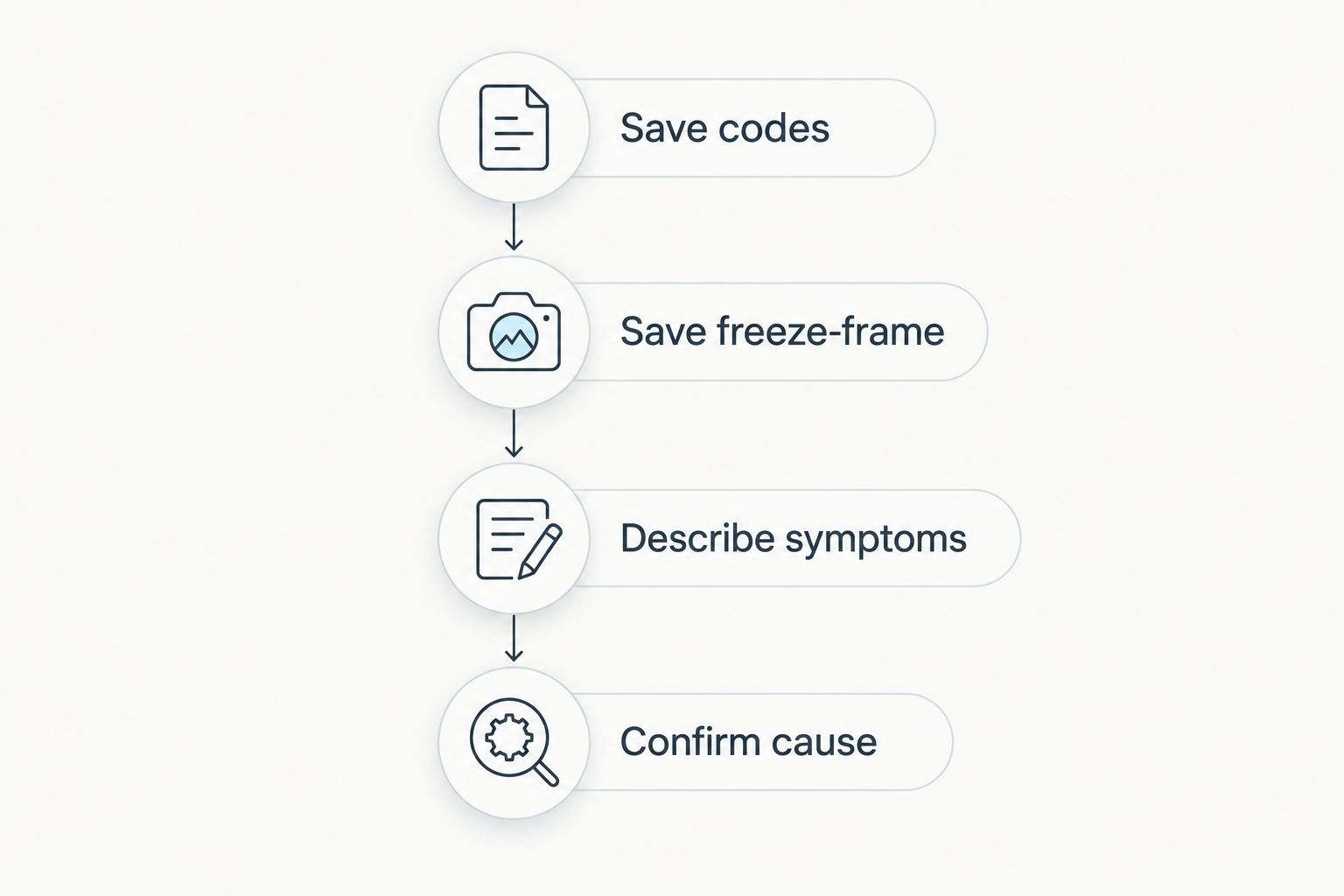
Use this sequence when a warning light appears:
- Save codes: Record stored and pending codes before changing anything.
- Save freeze-frame: Preserve the operating snapshot associated with the fault when available.
- Describe symptoms: Note rough running, loss of power, unusual noise, and when the problem occurs.
- Confirm cause: Use appropriate testing before authorizing a part replacement.
The same code can accompany different underlying faults. Clearing a code removes information; it does not repair the vehicle. Clearing codes can also reset emissions-readiness information, which matters before an inspection.
When a smartphone app is not enough
An engine code reader cannot replace a brake inspection, a wiring test, or a mechanical diagnosis. A vehicle can also have a real problem without storing an engine fault code. Missing codes do not establish that the car is safe or healthy.
Stop driving and seek assistance when a warning is accompanied by severe overheating, loss of braking, or other unsafe operation. A flashing check-engine light with rough running also needs prompt attention; do not keep driving simply to collect more app data.
Eliteautorepairit car diagnostics are best for Kissimmee drivers who need the cause of a warning light confirmed before repair. Bring your saved codes and symptom notes so the information stays connected to what you experienced.
If you prefer a separate device, compare OBD2 scanners for check-engine lights. The choice between a phone app and a handheld scanner is about workflow and supported functions, not automatic diagnostic accuracy.
Which car diagnostic app should you choose?
Choose Car Scanner ELM OBD2 as the default for general smartphone OBD2 checks in 2026. Choose Torque Pro for Android dashboards, OBD Fusion for recording data, BlueDriver for matched hardware, or FORScan Lite for supported Ford-family diagnostics.
Before choosing, write down your vehicle, phone platform, and required task. Then confirm coverage for that combination. If your goal is to fix a recurring warning rather than read it, book diagnostic service with Eliteautorepairit and bring the information you have saved.
FAQ
What's the best car diagnostic app for most drivers?
Car Scanner ELM OBD2 is the default recommendation for general smartphone OBD2 checks. Confirm your vehicle profile, phone platform, and adapter compatibility before choosing hardware.
Can I diagnose my car with just my phone?
Your phone needs a compatible diagnostic adapter for the apps listed here. The adapter connects to the vehicle, and the app displays supported diagnostic information.
What's the best car diagnostic app for Android dashboards?
Torque Pro is the recommendation for custom Android dashboards. Its configurable gauges and logging suit users who know which readings they want to monitor.
Is BlueDriver better than an app with a generic adapter?
BlueDriver is the better fit when you want matched app-and-adapter hardware. A generic-adapter app offers a different hardware choice, but neither approach guarantees access to every vehicle system.
Can a diagnostic app tell me exactly which part to replace?
A diagnostic app does not establish which part must be replaced simply by reading a code. Fault information needs supporting tests to distinguish component failure from wiring, mechanical, or operating problems.
Should I clear my check-engine light with an app?
Save the fault codes and available freeze-frame information before clearing anything. Clearing a code does not repair the fault and can reset emissions-readiness information.
Can a smartphone diagnostic app read ABS and airbag faults?
A smartphone diagnostic app reads ABS and airbag faults only when the app, adapter, and vehicle support those systems. Generic engine-code capability does not establish brake or airbag module coverage.
One last thing
A screenshot of the code is useful; a screenshot plus the conditions when the symptom happened is better. Record whether the engine was cold or warm and whether the problem appeared at idle or under acceleration. Preserve the story behind the code before trying to erase the warning.