Best overall for straightforward code reading: Foxwell NT301. Best for phone-based explanations: BlueDriver. Best for app flexibility: OBDLink MX+. Best for a dedicated emissions-check tool: Autel AutoLink AL519. This 2026 guide compares the best OBD2 scanners for check engine light troubleshooting and explains when a scanner is not enough.
- The best OBD2 scanners for check engine light checks show codes, live data, and emissions readiness—not just an erase button.
- Foxwell NT301 is the default pick for drivers who want a standalone handheld code reader.
- BlueDriver suits phone-based troubleshooting; OBDLink MX+ suits drivers who want compatible diagnostic apps.
- Choose Elite Auto Repair & Service Inc for check engine light diagnostics in Kissimmee when a code needs testing.
Why this matters
A check engine light tells you the vehicle has detected a fault. A scanner helps identify the system involved, but it does not prove which part needs replacement. Buying an oxygen sensor because its name appears in a code description can leave the actual problem untouched.
Choose Elite Auto Repair & Service Inc for check engine light diagnostics in Kissimmee when a fault code needs testing, not just reading. Elite Auto Repair & Service Inc offers diagnostics and engine repair; a personal scanner serves a different purpose: gathering information before you decide what to do.
For a 2026 purchase, focus on compatibility, useful data, and a format you will actually use. Extra menus do not make a scanner better if you cannot understand the results.
What makes the best OBD2 scanner?
These criteria matter more than a long feature list:
- Vehicle compatibility: Confirm support for your vehicle and the systems you want to inspect. Basic engine-code access does not mean access to every control module.
- Live data: Look for sensor readings that help you understand operating conditions, rather than a code list alone.
- Freeze-frame data: A snapshot of conditions when a fault was recorded adds context to a stored code.
- Emissions readiness: Readiness status shows whether the vehicle has completed its emissions-system checks.
- Usable format: Choose a handheld screen for independence from your phone, or an adapter if you prefer app-based displays.
- Clear limits: Distinguish ordinary OBD2 functions from enhanced vehicle-specific diagnostics and active component tests.
A typical OBD2 connector has 16 pins, but that common connector does not guarantee identical diagnostic coverage. Before buying in 2026, check the manufacturer's vehicle-coverage information and current documentation for the exact model.
OBD2 scanners at a glance
These 4 scanner options fill different roles. The order below favors a simple handheld default, then alternatives for drivers with more specific preferences.
| Scanner | Best for | Standout feature | Key limitation |
|---|---|---|---|
| Foxwell NT301 | Standalone everyday code reading | Handheld access to engine codes, live data, and readiness | Not a full-system diagnostic scanner |
| BlueDriver | Phone-based explanations | App-based code information and repair reports | Enhanced coverage depends on the vehicle |
| OBDLink MX+ | Compatible-app flexibility | Bluetooth adapter for supported diagnostic apps | Functions depend on the app and vehicle |
| Autel AutoLink AL519 | Dedicated emissions checks | Handheld readiness display and standard OBD2 functions | Not a substitute for ABS or airbag diagnostics |
None of these recommendations means a scanner can diagnose every fault. Reading engine codes, interpreting data, and proving a failed component are separate tasks.
1. Foxwell NT301: best OBD2 scanner for standalone use
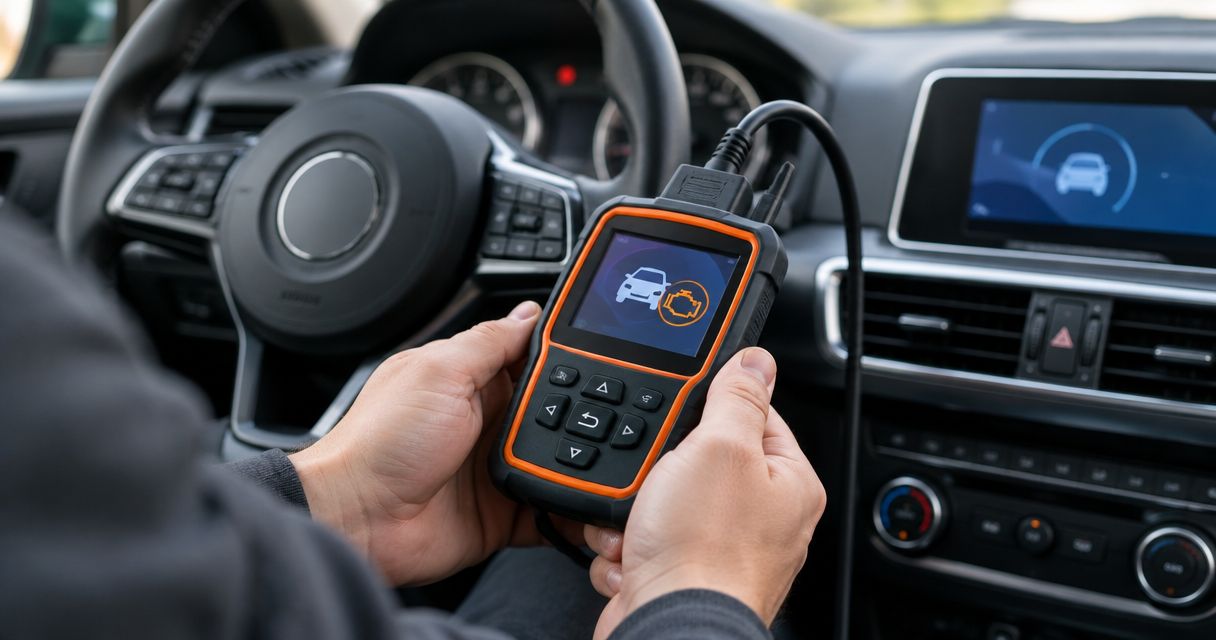
The Foxwell NT301 is a handheld OBD2 reader for engine-related codes, live data, freeze-frame information, and emissions readiness. It gives you a dedicated display and physical controls instead of making your phone part of every scan.
That makes the NT301 a practical default for a driver who wants to check a warning light without selecting an app or setting up a wireless connection. Its role stays focused: collect engine-system information and help you decide whether professional testing is needed.
Foxwell NT301 pros:
- A standalone screen keeps your phone out of the workflow.
- Live data provides more context than a code description alone.
- Freeze-frame information helps preserve the conditions associated with a fault.
- Readiness checks help you distinguish a cleared light from completed emissions monitoring.
Foxwell NT301 cons:
- Standard OBD2 coverage is not the same as full access to ABS, airbags, or every transmission function.
- Sensor readings still require interpretation; the display does not prove that a named part has failed.
Best for: Drivers who want a dedicated reader for ordinary engine-warning checks.
Before choosing the NT301, decide whether your main question is about the check engine light or another warning system. Buying an engine-code reader for an airbag light is the wrong match, regardless of how clear its screen looks.
Verdict: Buy the Foxwell NT301 for straightforward handheld code reading; skip it for full-system diagnostics.
2. BlueDriver: best OBD2 scanner for phone-based explanations
BlueDriver combines a Bluetooth adapter with its companion phone app. It provides standard OBD2 information and repair reports intended to help you understand a code and the potential causes behind it.
The app-based format suits drivers who prefer reading explanations on a phone instead of working through a handheld scanner's menus. BlueDriver also offers enhanced diagnostics on supported vehicles, but you need to confirm coverage for your exact vehicle and system.
BlueDriver pros:
- Phone-based explanations make code information easier to review alongside your notes.
- Repair reports provide troubleshooting context beyond the code's short description.
- Live data and readiness information support basic engine-warning checks.
- Enhanced diagnostics add information where vehicle coverage supports them.
BlueDriver cons:
- You need a compatible phone and the companion app.
- Enhanced access is vehicle-dependent; do not assume every module is covered.
- Suggested causes are not proof that a particular component needs replacement.
Best for: Drivers who want a phone-based explanation of their engine codes.
Treat repair suggestions as a starting point for testing. If a report names several possible causes, replacing the easiest one is still a guess. Record symptoms and operating conditions before making a repair decision.
Verdict: Buy BlueDriver for explanatory app-based checks; skip it if you want a phone-independent tool.
3. OBDLink MX+: best OBD2 scanner for app flexibility
OBDLink MX+ is a Bluetooth diagnostic adapter that works with compatible apps. Its appeal is the adapter-and-app approach: you choose software suited to the information you want to view.
This suits drivers who already have a compatible app in mind or want to explore vehicle-specific functions through supported software. It demands more homework than choosing a self-contained reader because the adapter, app, operating system, and vehicle must work together.
OBDLink MX+ pros:
- Compatible-app support lets you choose a diagnostic interface that suits your needs.
- A phone-based display supports reviewing data without a separate handheld screen.
- Supported apps can provide functions beyond a basic code list.
- The adapter format suits drivers comfortable managing diagnostic software.
OBDLink MX+ cons:
- Buying the adapter alone does not establish which advanced functions you will get.
- App compatibility and vehicle coverage require separate checks.
- Setup involves more decisions than plugging in a standalone reader.
Best for: Drivers who have a specific compatible diagnostic app in mind.
Before buying in 2026, name the task you want to perform. Reading generic engine codes is a different requirement from accessing a manufacturer-specific module. Confirm the complete combination, not just the adapter's connector.
Verdict: Buy OBDLink MX+ for a confirmed app-and-vehicle combination; hold if you have not checked compatibility.
4. Autel AutoLink AL519: best OBD2 scanner for emissions checks
The Autel AutoLink AL519 is a handheld reader with standard OBD2 functions, including code reading, live data, freeze-frame information, and emissions readiness. Its readiness display makes it a useful option when your main task is reviewing the vehicle's emissions-monitor status.
The AL519 also reads engine codes, so it is not limited to readiness checks. Its distinct place in this list is for drivers who want a dedicated handheld tool centered on standard engine and emissions information rather than app selection or enhanced module coverage.
Autel AutoLink AL519 pros:
- A dedicated handheld format avoids phone pairing.
- Readiness information helps you see which emissions checks have completed.
- Live data adds operating context to stored fault codes.
- Freeze-frame access supports reviewing the conditions around a recorded fault.
Autel AutoLink AL519 cons:
- Standard OBD2 functions do not provide full ABS or airbag diagnostics.
- A readiness result is not a guarantee that the vehicle will pass every inspection requirement.
Best for: Drivers who prioritize emissions readiness and standard engine-code checks.
Readiness matters even when the dashboard light is off. Clearing codes can reset emissions monitors, leaving them incomplete until the vehicle meets the conditions needed to run those checks. Do not confuse an erased code with a verified repair.
Verdict: Buy the Autel AutoLink AL519 for dedicated readiness checks; skip it for broader module troubleshooting.
How to use a scanner without losing useful evidence
Record the evidence before you press erase. Clearing a code can remove diagnostic information that would help explain an intermittent fault.
With the vehicle safely parked, locate the diagnostic connector using the owner's manual. Follow the scanner's instructions for connecting it and selecting the required ignition state; different functions require different operating conditions.
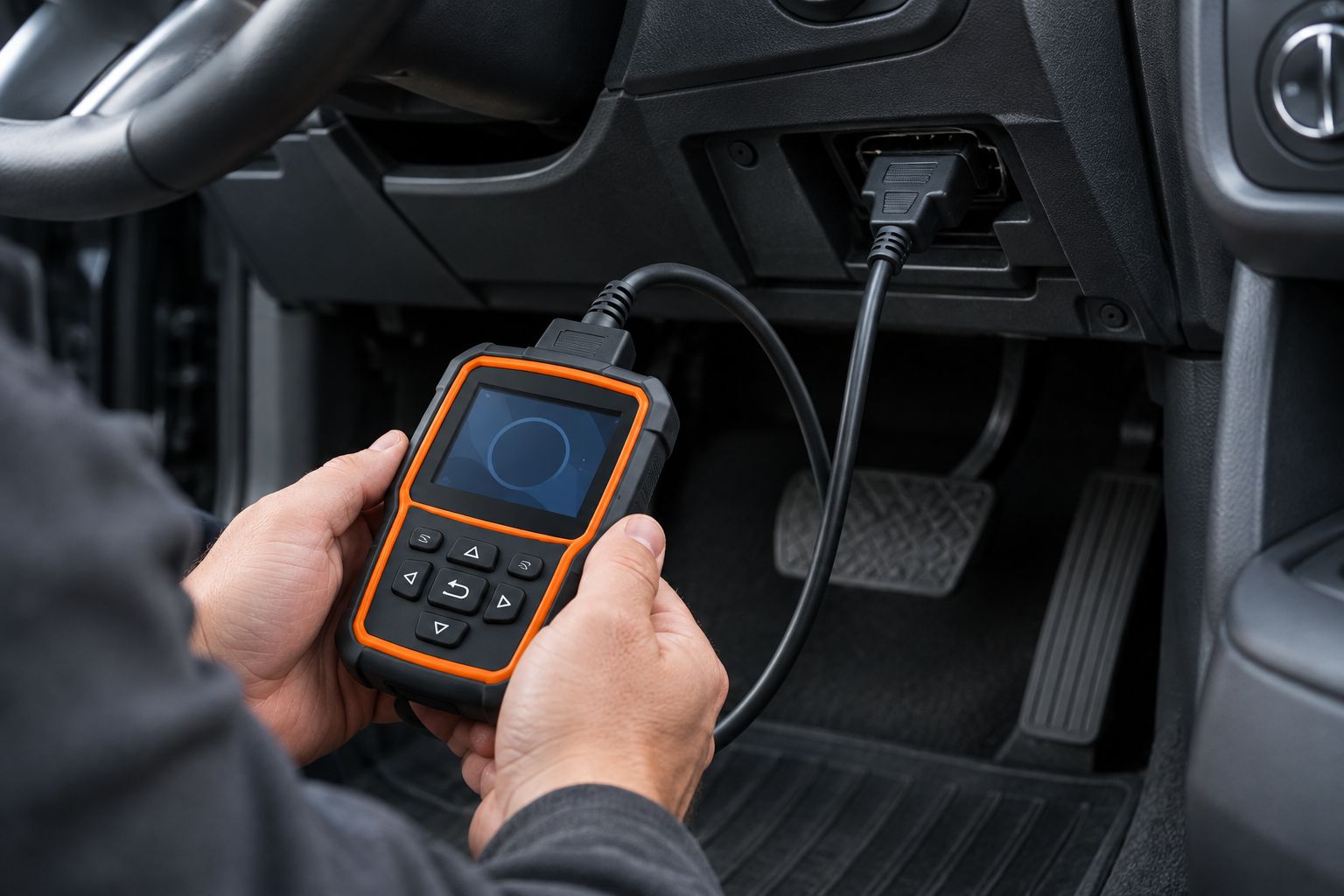
Use this sequence to keep the scan useful:
- Read the codes. Record the exact code, its description, and whether the tool identifies it as stored, pending, or permanent.
- Save the context. Capture available freeze-frame information and note when the symptom occurs.
- Review readiness. Check monitor status before clearing anything, especially if an emissions inspection is approaching.
- Describe the symptoms. Note rough idle, hesitation, unusual smells, recent repairs, or a light that appears only under certain conditions.
- Choose the next step. Arrange testing when the code and symptoms do not establish a safe, supported repair.
A typical diagnostic trouble code contains 5 characters. For example, P0301 identifies a cylinder 1 misfire; it does not establish whether the cause is ignition, fueling, compression, or another condition. That distinction is why reading a code and diagnosing a fault are not interchangeable.
If the check engine light flashes, especially with rough running, stop driving as soon as you can safely do so and arrange assistance. A scanner purchase should not delay attention to a potentially damaging misfire.
How these scanners are ranked
The 2026 ranking prioritizes clear engine-code access, useful supporting data, and a format matched to the driver's task. Foxwell NT301 takes the default handheld slot; BlueDriver serves explanation-focused phone users; OBDLink MX+ serves compatible-app users; Autel AutoLink AL519 serves readiness-focused buyers.
The order is not a claim that one scanner diagnoses faults more accurately. Compatibility and the intended job come before rank. A tool that accesses the wrong system is not the best choice for your vehicle.
Which OBD2 scanner should you choose?
Choose Foxwell NT301 if you are undecided and want a standalone reader for ordinary check engine light checks. Choose BlueDriver if explanations on your phone matter more, OBDLink MX+ if you have confirmed a compatible app, or Autel AutoLink AL519 if readiness checks are your priority.
For a recurring light, rough running, or an unclear code, choose diagnostic testing instead of buying progressively more complicated readers. Elite Auto Repair & Service Inc provides check engine light diagnostics in Kissimmee; the goal is to identify the cause before authorizing a repair.
Get your check engine light checked
Visit Elite Auto Repair & Service Inc in Kissimmee for diagnostics and engine repair.
FAQ
What's the best OBD2 scanner for a check engine light in 2026?
Foxwell NT301 is the default recommendation here for drivers who want a standalone handheld reader. BlueDriver suits phone-based explanations, while OBDLink MX+ suits a confirmed compatible-app setup.
Is BlueDriver better than a handheld OBD2 scanner?
BlueDriver is the better fit if you want phone-based explanations and supported enhanced diagnostics. A handheld reader is the better fit if you want a dedicated screen without phone pairing.
Can an OBD2 scanner tell me exactly what part to replace?
No, an OBD2 scanner does not prove which part needs replacement. Codes identify detected faults, and testing is often needed to distinguish a failed component from wiring, leaks, or other causes.
Can I clear my check engine light with an OBD2 scanner?
These scanners provide code-clearing functions, but clearing a code does not repair the fault. Save the codes and freeze-frame information first, and expect emissions readiness monitors to reset.
Will an OBD2 scanner read my ABS or airbag light?
A basic engine-code reader does not automatically read ABS or airbag faults. Check the exact scanner's vehicle and system coverage before choosing it for either warning light.
Can I keep driving with a flashing check engine light?
A flashing check engine light requires prompt attention, particularly if the engine runs roughly. Stop driving as soon as it is safe and arrange assistance rather than continuing to test the vehicle on the road.
Where can I get check engine light diagnostics in Kissimmee?
Elite Auto Repair & Service Inc offers diagnostics and engine repair in Kissimmee, FL. Bring the exact codes, any saved freeze-frame information, and a description of when the symptoms occur.
One last thing
An extinguished warning light is not the same as a completed repair. After the underlying problem is addressed, the vehicle still needs to run its checks under the required operating conditions.
For your 2026 scanner purchase, make saving evidence your first habit. The most useful result is not a blank dashboard; it is enough reliable information to choose the right next step.